Join thousands of users
Hear Every Sound Crystal Clear
Turn your phone into a powerful sound amplifier. Hear distant conversations, quiet nature sounds, and important details you've been missing – all through your headphones.
Everything You Need to Hear Better
Amplify Sounds Instantly
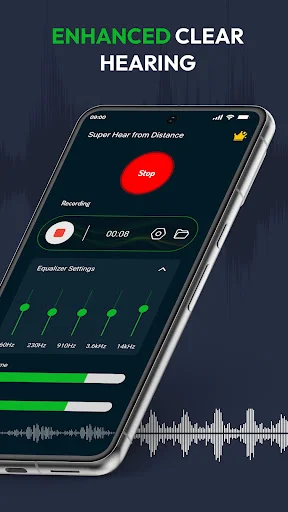
Use your phone's microphone and headphones to boost nearby sounds and hear clearly from a distance. Perfect for lectures, meetings, or enjoying quiet nature sounds without expensive equipment.
Record and Playback
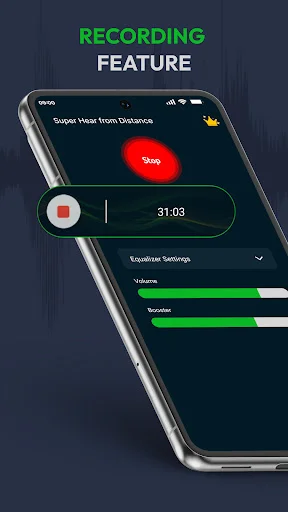
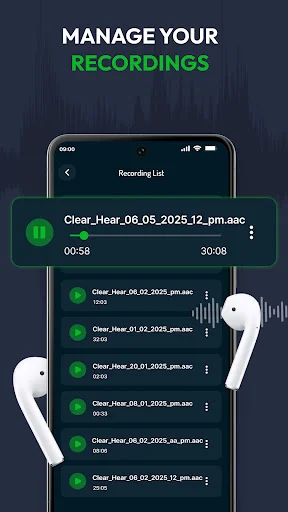
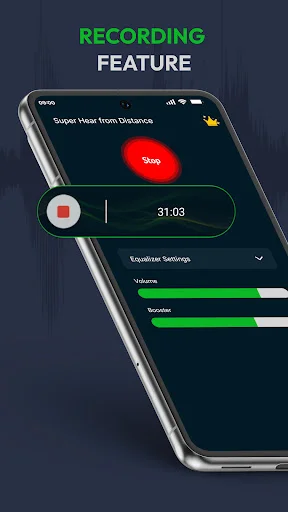
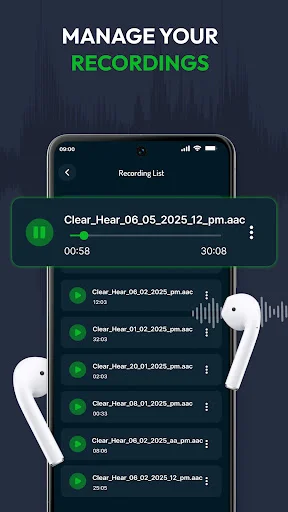
Never miss important details again. Record amplified audio for lectures, meetings, or personal notes, then play back your recordings anytime to review what matters most.
Simple Sound Controls
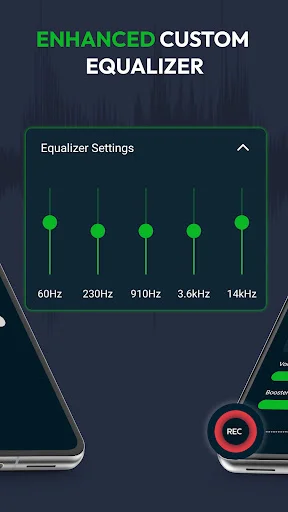
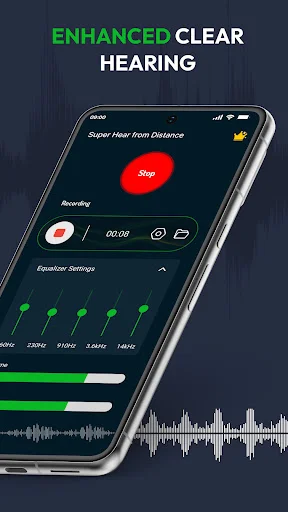
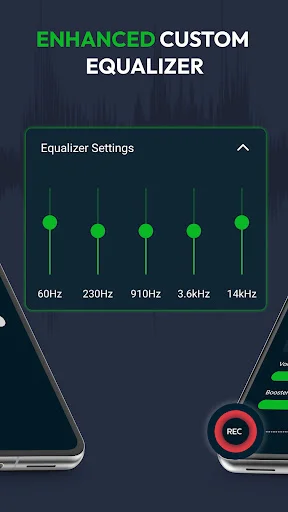
Adjust volume and tune your listening experience with easy controls. No complicated setup or confusing settings – just open the app, connect your headphones, and start hearing better immediately.
Works Anywhere You Go
Whether you're indoors at a conference or outdoors exploring nature, adjust the amplification for your environment. Get clear sound in classrooms, boardrooms, parks, or anywhere you need better hearing.
ABOUT
Ear Spy: Listening Device - Unlock a Hidden World of Sound!
Need to hear nearby sounds more clearly from a distance? Ear Spy: Listening Device helps you use your phone's microphone and headphones as a simple sound amplifier, making selected sounds easier to notice in everyday environments.
Ear Spy is designed for people who want a clear and easy listening app for sound amplification. Whether you are trying to follow a lecture, pay closer attention in a meeting, listen to quiet nature sounds, or better hear audio around you, the spy hearing app gives you practical tools to adjust, amplify, and record sound.
Key features of the ear booster app:
- Sound amplifier for everyday listening
Use your device microphone to amplify surrounding sounds and hear details more clearly through headphones. - Hearing amplifier controls
Adjust the listening experience with simple controls that help you tune sound for your environment. - Ear booster experience for super hearing
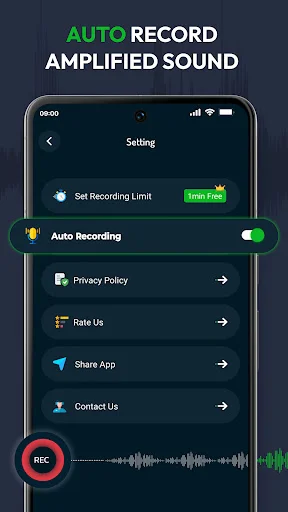
Increase the volume of nearby audio so quiet sounds are easier to focus on. - Built-in spy recorder
Record audio for personal notes, lectures, meetings, or other situations where recording is allowed. - Quick playback
Listen back to saved recordings when you want to review important details later. - Simple listening device interface
Open the app, connect your headphones, adjust the sound, and start listening without complicated setup. - Indoor and outdoor sound tuning
Use the app in different surroundings and adjust amplification based on where you are. - Low-latency listening support
Designed to help make amplified sound feel more immediate and useful during live listening.
How it works:
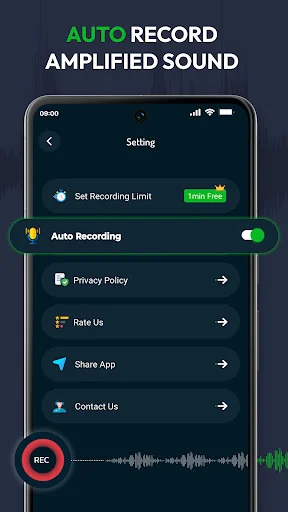
After installing Ear Spy: Listening Device, open the app, allow microphone access, connect headphones, and adjust the sound level to your preference. The app uses your phone's microphone to pick up nearby audio and play amplified sound through your headphones. You can also use the recorder feature to save audio for later review when recording is appropriate and permitted.
Use Ear Spy when you want to:
- Hear a lecture more clearly from your seat
- Follow meeting audio with better focus
- Listen to quiet sounds around your home
- Capture personal audio notes
- Explore nature sounds outdoors
- Use a simple hearing amplifier for nearby sound
- Turn your phone into a practical sound amplifier and listening device
Ear Spy: Listening Device keeps the experience simple, clear, and focused on sound amplification. Use it to hear nearby audio more clearly, adjust your listening environment, and save important sounds when you have the right to record them.
See How Easy It Is
Hear What Users Are Saying
oh hunnies let me tell you. I'm always on the go and sometimes it's difficult when trying to balance the kids ball games. parents half way audible in the crowd. But definitely can hear and understandable from a distance and in the middle of ball games I'm very pleased..
oh hunnies let me tell you. I'm always on the go and sometimes it's difficult when trying to balance the kids ball games. parents half way audible in the crowd. But definitely can hear and understandable from a distance and in the middle of ball games I'm very pleased..
I've tried, sampled all t of aoos like this nothing compares to this. by far the best and I only tried it and determined my answer the first five sexa.
I've tried, sampled all t of aoos like this nothing compares to this. by far the best and I only tried it and determined my answer the first five sexa.
very good free version
very good free version
Start Hearing Better Today – Download Now
Join thousands of creative users!